How to Improve Your On-Camera Presence (For Non-Actors)
Practical tips to improve on-camera presence for everyday creators: where to look, how to control pacing, and how to stop sounding like you're reading a script.
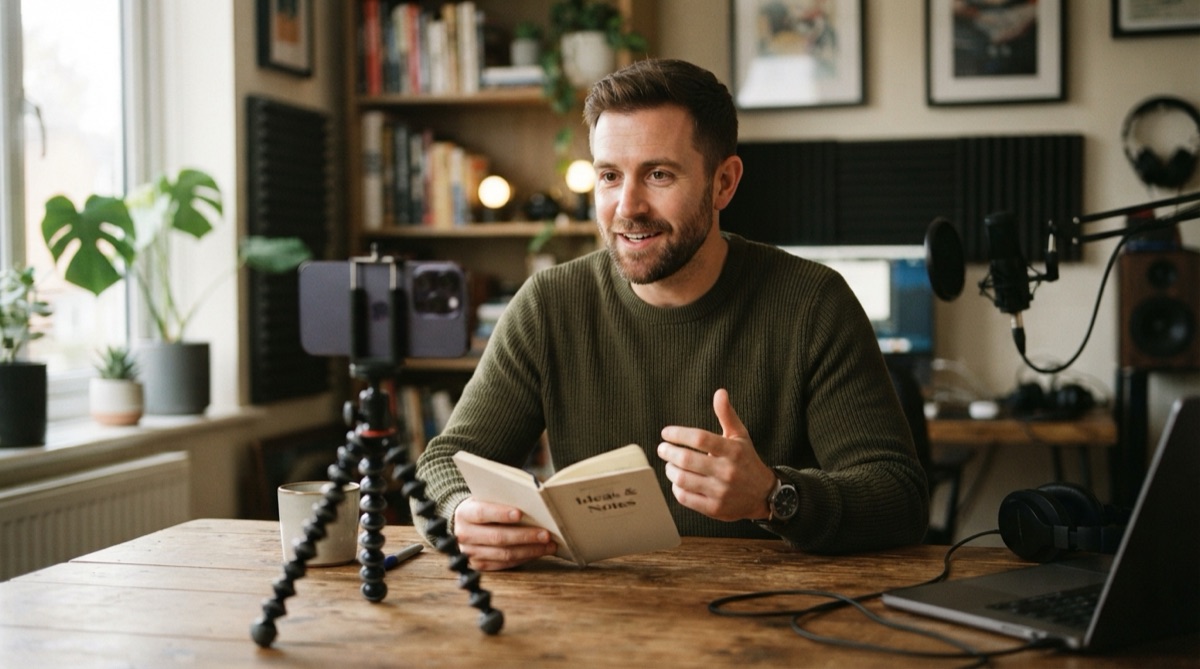
Nobody is naturally good on camera. The creators who look effortless in their videos have recorded hundreds of videos. The ones who look stiff have recorded three. On-camera presence is a skill, not a personality trait, and like most skills it responds directly to deliberate practice and a handful of mechanical fixes.
This guide is for people who are not professional actors or broadcasters: content creators, educators, entrepreneurs, and anyone else who wants to make videos that are watchable without spending a decade in front of cameras first. The improvements below range from immediate to slow-building — start with the quick ones today.
The Fastest Single Fix: Look at the Lens, Not the Screen
This is where ninety percent of awkward-looking videos go wrong. When you record on a phone, the natural instinct is to look at the camera preview on the screen — at your own face, in other words. But your face on the screen is not where the camera is. The lens is a small circle a centimeter or two above the preview, and that centimeter is the difference between direct eye contact and a gaze that lands slightly off.
Put a small piece of tape or a sticker right next to the lens to give your eyes a target. Then look at it like you are looking at a person. It feels strange at first because there is no face — train yourself anyway, because the viewer on the other end sees the difference immediately.
Slow Down and Add Deliberate Pauses
On-camera nervousness almost always manifests as speed. People fill silence because silence feels like failure. On camera, silence is the opposite — it is punctuation. A pause after a key point lets it land. A pause before a new idea signals a transition. A pause where you would naturally take a breath sounds like a human talking, not a machine reading.
Record yourself at your natural speaking pace, then play it back. Almost everyone is faster than they think. Set your teleprompter scroll slightly slower than your instinct tells you to, and let yourself settle into the pace rather than rushing to match it.
Write How You Talk, Not How You Write
The most common cause of wooden delivery is a script written in written English rather than spoken English. Written English uses longer sentences, formal constructions, and structures that are hard to sustain out loud. If you find yourself stumbling on a sentence during rehearsal, it is almost always the sentence that needs fixing, not your delivery.
A few quick rewrites that improve deliverability:
- Replace "you are" with "you're," "it is" with "it's." Contractions are how humans speak.
- Break long sentences in two. If a sentence needs a breath in the middle, it is two sentences.
- Start sentences with "And" or "But" sometimes. It sounds conversational because it is how conversations actually work.
- Front-load the interesting part. Say the point, then explain it — not the other way around.
If you are using AI to draft scripts, the same principles apply: have the AI write for spoken delivery and at the exact length you want, not for a written article it will expand however it likes. Cueflow's AI scripting is built for this — you set the tone and the exact target duration, and it returns something designed to be read on camera, not published on a page. More on script structure in our guide to writing a 60-second video script.
Memorize the Hook, Use a Prompter for the Rest
The first five seconds of a video are the most scrutinized. Viewers decide almost instantly whether to continue, and they read your face carefully in that window. Delivering the opening from memory — with full eye contact and genuine energy — makes those seconds land. Delivering them from a script you are tracking with your eyes does not.
Memorize only the first one or two sentences. Use a teleprompter for the rest. The trick is that the teleprompter text needs to sit directly adjacent to the lens, not in the lower half of the screen, or your eyes will visibly drift down on every other sentence. An app like Cueflow scrolls text directly over the camera preview near the lens — the overlay never appears in your recording — so reading and holding eye contact are the same physical act. There is a full technique breakdown in our guide on not looking like you're reading.
Record Short Clips and Review Immediately
Nothing develops on-camera skills faster than watching yourself. It is uncomfortable, which is why most people avoid it. Do it anyway, and look specifically for:
- Filler words. Um, uh, like, you know. Count them in a sixty-second clip. A high count means the pace is too fast and you are filling air that should be a pause.
- Eye position. Where do your eyes actually land? The lens? The screen? Something off to the side?
- Energy level. On-camera energy needs to be roughly 20 percent higher than it feels. If you feel slightly over-energetic, it usually reads as normal on video.
Review three takes, pick one thing to fix for the next session, and stop. Trying to fix everything at once means fixing nothing. One thing per review is how skills actually compound.
The Energy Calibration Hack
One of the strangest things about video is that enthusiasm that feels excessive in person reads as normal on screen. The camera compresses emotional expressiveness. A face that feels animated and engaged to you often looks flat in playback; a face that feels over-the-top often looks present and engaged.
Run this calibration once: deliver a paragraph at your natural energy level, then at what feels like 30 percent too enthusiastic. Watch both clips. The second one almost always looks better. Use it as your baseline going forward.
FAQ
How long does it take to get comfortable on camera?
Most people notice real improvement around the tenth to fifteenth video — not because of any single thing they learned, but because the mechanical checklist becomes automatic and the mental bandwidth frees up for actual delivery. The first ten videos are mostly the price of admission.
Is it normal to hate watching yourself on video?
Yes, and it fades. The discomfort is partly the unfamiliar sound of your recorded voice (normal) and partly the hyper-critical attention you give yourself that your audience does not. Viewers are evaluating whether your content is useful or interesting — they are not cataloguing your vocal tics.
Does a teleprompter make you look more or less natural?
Used well, a teleprompter makes delivery more natural: you never stumble, go blank, or trail off, because the script is always in front of you. Used poorly — with text too far from the lens — it creates obvious eye drift that reads as worse than improv. The design of the app matters as much as the script.
The AI teleprompter for content creators.
Cueflow — Cueflow writes your script with AI, scrolls it over the live camera at your speaking speed, and records clean video — no rig, no second phone, no burned-in text.
Download Cueflowfree on the App StoreKeep reading

How Many Words Per Minute in a Speech? A Chart by Length
How many words per minute in a speech: a chart from 30 seconds to 20 minutes, how to measure your own pace, and a worked example for a 5-minute talk.

How to Write a Voiceover Script (Format and Example)
How to write a voiceover script that fits the picture: scene-by-scene format, word budgets per second, a 45-second example, and recording on iPhone.

How to Write a YouTube Script: A Step-by-Step Method
How to write a YouTube script that holds viewers: a one-line promise, a 15-second hook, beats with re-hooks, and word counts sized to your target length.