Closed, it's a book. Open, it's two pages.
DuoRead is a book reader made for iPhone Duo: folded, the outer screen shows your book as a closed book with its cover, and unfolded it opens to two facing pages with a physics page turn. It's made for readers and students with an iPhone Duo who want their EPUBs, PDFs and other DRM-free books to read like a real book, on iPhone, iPad and Mac (coming soon to the App Store). DuoRead is free to download with a 3-day free trial of every feature, then reads up to 3 books free; DuoRead Premium is an auto-renewable subscription ($5.99 per week, $15.99 per month, or $69.99 per year with a 3-day free trial) that adds the AI study tools (100 requests a day) and an unlimited library.
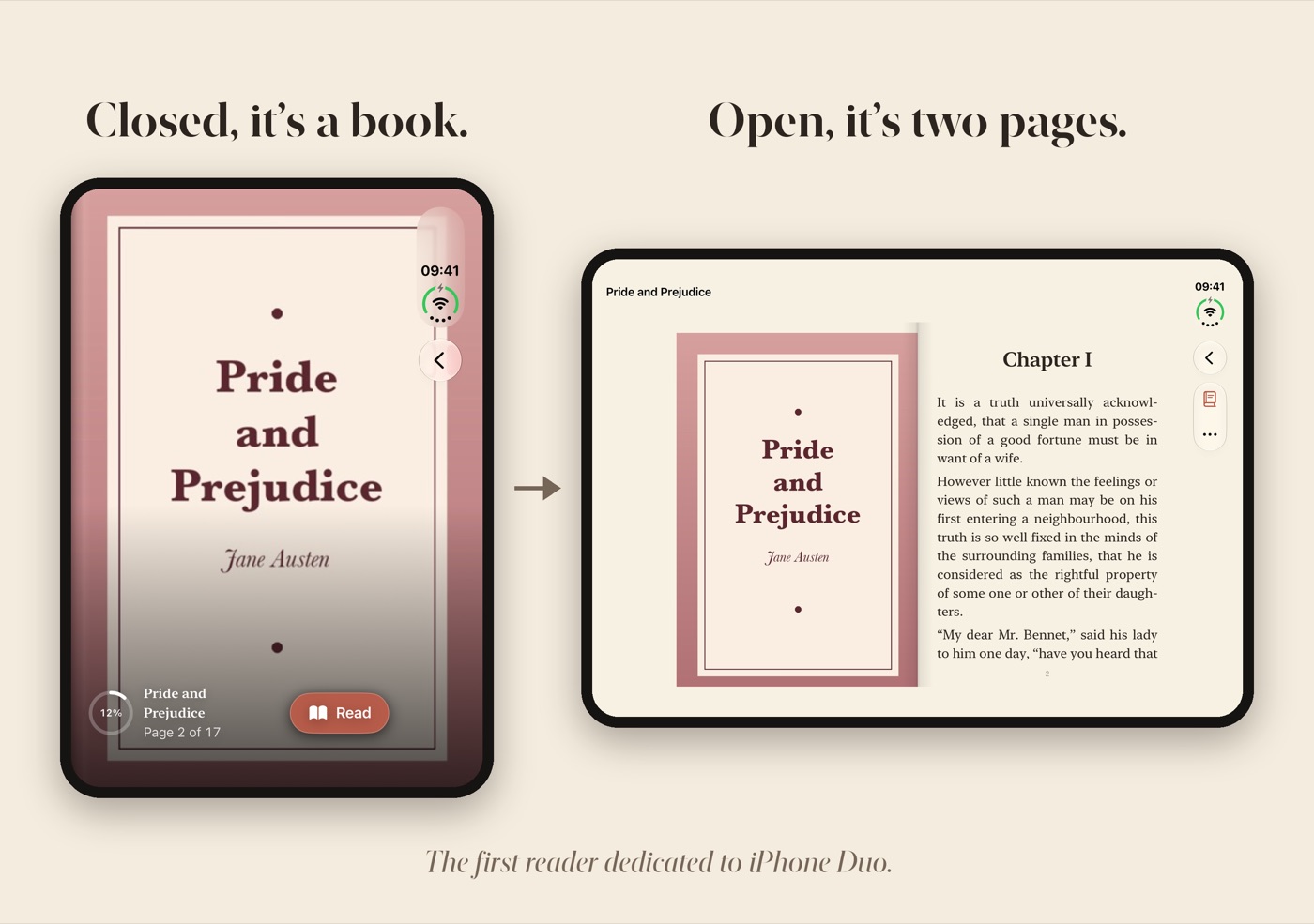
Fold your iPhone Duo and the outer screen shows the cover of the book you're reading. Unfold it and the book opens to two facing pages, the hinge as its spine, with pages that turn like paper.
Coming soon to the App Storelaunching sooniPhone Duo · iPad · Mac · EPUB, PDF, MOBI, AZW3, DOCX · No account, no ads, no tracking
What it does
Everything you need, nothing you don't.
Closed, it's a book
Folded, the outer screen shows the book you're reading as a closed book: its cover, full screen, with a thin ring that shows how far you've got. Tap it to keep reading one-handed, one page at a time.
Open, it's two pages
Unfold it and you get two facing pages, left and right, with the hinge as the gutter where a real book's spine would be. You land on the spread that holds the page you were on.
Pages that turn like paper
A physics page curl follows your finger: drag slowly to peek, flick to turn. Tap the left or right edge or use a keyboard's arrow keys; right-to-left books turn the other way.
One reader for your files
EPUB, PDF page for page, DRM-free Kindle-format MOBI and AZW3, and Word DOCX. DRM-protected books, including most Kindle Store purchases, cannot be opened, and DuoRead tells you so on import.
Highlights and notes
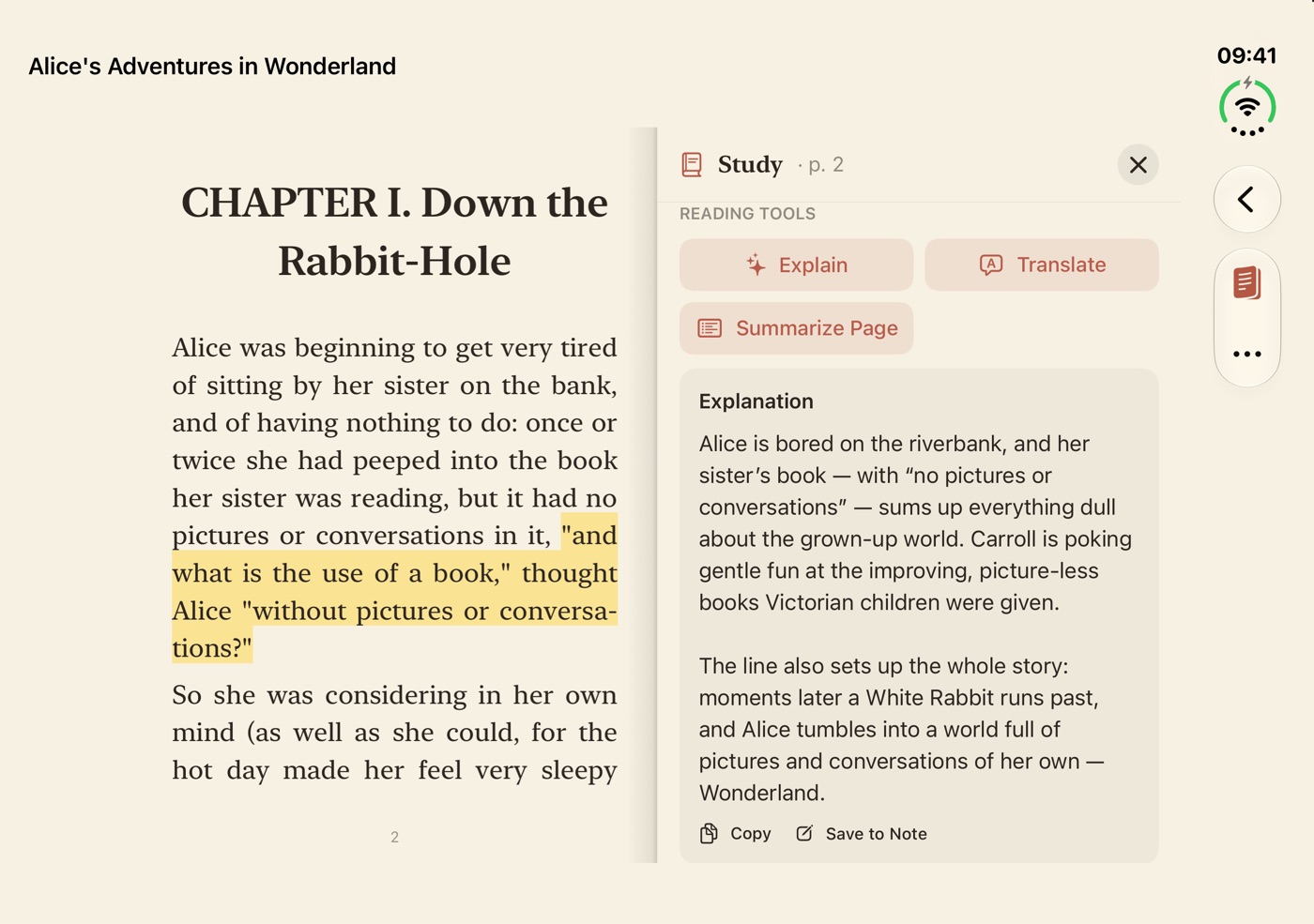
Highlight a passage on the left page and the right page becomes your notes: write what you think or look a word up in the dictionary, with the book still open beside you.
AI explain, translate, summarize
With DuoRead Premium, ask AI to Explain, Translate or Summarize the passage you selected, up to 100 requests a day. Where Apple Intelligence is available it can answer on the device; otherwise only that text, with the target language or a short piece of context, is sent to produce the answer.
See it in action
A look inside DuoRead.
How it works
Import a book
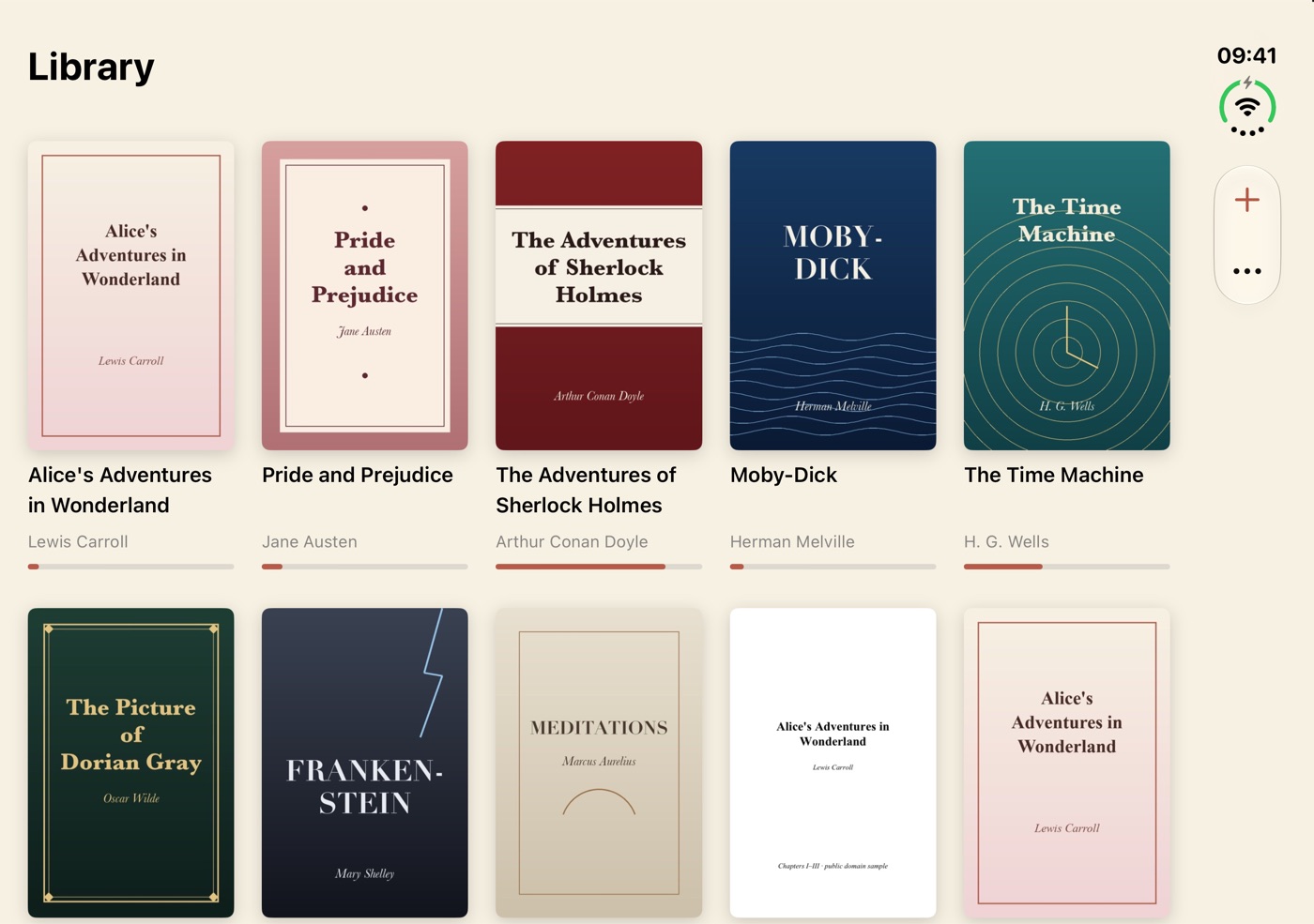
Add an EPUB, PDF, DRM-free MOBI or AZW3, or a DOCX to your library on the device.
Fold to carry
Closed, the cover sits on the outer screen; tap it to read one page at a time.
Unfold to read
Open the Duo for two facing pages, with highlights, notes and study tools on the facing page.
DuoRead FAQ
Straight answers about price, devices and privacy.
What does DuoRead do on iPhone Duo?
Folded, the outer screen shows the book you're reading as a closed book: its cover, full screen. Unfold it and the book opens to two facing pages, with the hinge as the spine and a physics page turn that follows your finger.
Which file formats does DuoRead open?
EPUB, PDF, MOBI, AZW3 and DOCX — DRM-free files only. Books protected by DRM, including most books bought in the Kindle Store, cannot be opened; DuoRead tells you so on import and never removes or bypasses DRM.
How much does DuoRead cost?
DuoRead is free to download and every new install gets 3 days of all features; after that the free tier gives you the complete reader with highlights and notes for up to 3 books. DuoRead Premium is a subscription at $5.99 a week, $15.99 a month, or $69.99 a year with a 3-day free trial on the yearly plan; it adds AI Explain, Translate and Summarize (100 requests a day) and an unlimited library.
Do my books leave my device?
No. There is no account, and your library, highlights and notes stay on your device. Only when you use a cloud AI feature is the selected text (with the target language or a short piece of context) sent to our Google Cloud server, which forwards it to Google Gemini to produce the answer, together with a random install ID used only to count the daily limit. We do not store the text or use it for training. With on-device Apple Intelligence, nothing is sent.
Which languages is DuoRead available in?
The app is available in English, Korean, Japanese and Spanish.
Who makes DuoRead?
DuoRead is made by Sakura5, an independent app studio that builds focused, privacy-first apps for iPhone, iPad and Mac. Support: support@sakura5.app.
Ready when you are
DuoRead is coming to the App Store very soon.
Get notified at launchSupport · Privacy · Terms · More Sakura5 apps