How to Make Eye Contact With the Camera
How to make eye contact with the camera on iPhone: why your eyes drift, the look-at-the-lens habit, and how a teleprompter keeps your gaze locked on.
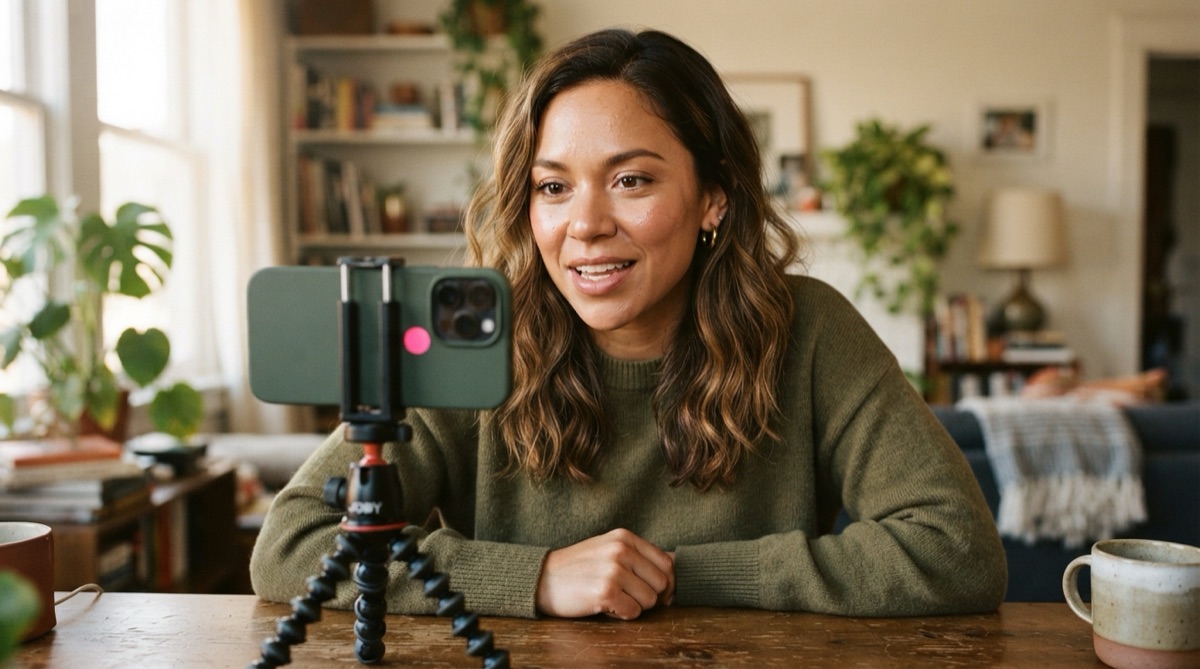
Eye contact is what makes a viewer feel talked to instead of talked near. When your gaze lands squarely in the lens, the person watching feels addressed directly, and that single thing separates videos that hold attention from ones that quietly lose it. When your eyes drift — even slightly — the connection breaks, and the viewer can't always say why the video feels off.
The frustrating part is that eye contact with a camera is genuinely unnatural. There's no face to look at, no feedback, just a tiny glass circle. This guide covers why your eyes drift, how to fix it, and how to hold real eye contact even while reading a full script.
Why Your Eyes Drift Off the Lens
There are three common reasons your gaze wanders, and knowing which one is yours points straight at the fix:
- You're looking at the screen, not the lens. On a phone, the natural instinct is to watch the camera preview — your own face — instead of the lens. But the lens is a small circle a centimeter or two away from that preview, and that gap is the difference between eye contact and a gaze that lands slightly low.
- You're reading text that isn't near the lens. If your script sits in the bottom half of the screen, your eyes drop to it on every line. Viewers read that downward flick instantly as reading.
- You're self-conscious. Staring into a lens feels strange, so people instinctively glance away to relieve the discomfort — up, down, to the side. This one fades with reps.
Train Your Eyes to Find the Lens
The fix for the mechanical problem is simple and immediate:
- Identify the lens. On an iPhone shooting selfie video, it's the front-facing camera — the small dot at the top of the screen, not your face in the middle of it.
- Give your eyes a physical target. Stick a small dot, a piece of tape, or a googly-eye sticker right next to the lens. Look at that. It sounds silly and it works — your eyes need something to lock onto.
- Imagine a person there. Don't stare blankly into glass; picture a friend standing where the lens is and talk to them. Your expression softens and your eyes engage the way they do in real conversation.
- Pull the phone back. At arm's length or farther, any tiny residual drift becomes almost invisible. Close-up shots magnify every millimeter of eye movement.
Practice in short bursts. Record fifteen seconds looking at your target, play it back, and check where your eyes actually land. A few reps and the lens stops feeling foreign.
The Reading Problem — and How to Solve It
Here's the real challenge: everything above is easy when you're improvising, but the moment you add a script, your eyes have somewhere else to go. If the text lives at the bottom of the screen, you'll break eye contact on every single line, no matter how disciplined you are. You can't hold a gaze on the lens and read text six centimeters below it at the same time.
This is the exact problem a well-designed teleprompter solves. When the script scrolls right next to the lens, reading it and looking at the camera become the same physical act — your eyes never have to leave the lens to get the next line. Cueflow scrolls your script over the live camera view near the lens, tuned to your speaking pace, and the overlay never appears in the recording. You read the whole script and still look like you're making direct eye contact the entire time.
Two things make it work even better: keep the text column narrow so your eyes barely move side to side, and hold the phone farther away so any remaining drift shrinks. There's a deeper breakdown of the eye-line geometry in using a teleprompter without looking like you're reading.
Eye Contact Habits That Read as Confident
Beyond just aiming at the lens, a few delivery habits make your eye contact feel intentional rather than fixed:
- Hold the lens through the end of a thought. Don't glance away as you finish a sentence — that trailing look-away undercuts the point. Land the sentence, then breathe.
- Blink normally. People who consciously hold eye contact sometimes stop blinking and start to stare. Blink like you would in conversation; it keeps you looking relaxed.
- Memorize your opening line. Deliver the first sentence straight to the lens from memory, before any script starts scrolling. Those first seconds of unbroken eye contact set the tone for everything after.
Eye contact is one piece of the larger skill of looking natural on camera — the rest, from pacing to energy calibration, is covered in improving your on-camera presence.
FAQ
Should I look at the camera lens or the screen?
Look at the lens. Your face on the screen preview is a centimeter or two away from the actual lens, and that small gap is the difference between direct eye contact and a gaze that lands slightly off. Put a small sticker next to the lens as a target and look at that.
How do I keep eye contact while reading a script?
Use a teleprompter that places the text right next to the lens instead of at the bottom of the screen. When the script scrolls near the lens, reading it and looking at the camera become the same motion, so your eyes never have to drift away to get the next line.
Why does looking at the camera feel so unnatural?
Because there's no face and no feedback — just a small glass circle — so your brain gets none of the cues it uses in real conversation. It fades with practice. Giving your eyes a physical target next to the lens and imagining a person there both make it feel more natural fast.
The AI teleprompter for content creators.
Cueflow — Cueflow writes your script with AI, scrolls it over the live camera at your speaking speed, and records clean video — no rig, no second phone, no burned-in text.
Download Cueflowfree on the App StoreKeep reading

How Many Words Per Minute in a Speech? A Chart by Length
How many words per minute in a speech: a chart from 30 seconds to 20 minutes, how to measure your own pace, and a worked example for a 5-minute talk.

How to Write a Voiceover Script (Format and Example)
How to write a voiceover script that fits the picture: scene-by-scene format, word budgets per second, a 45-second example, and recording on iPhone.

How to Write a YouTube Script: A Step-by-Step Method
How to write a YouTube script that holds viewers: a one-line promise, a 15-second hook, beats with re-hooks, and word counts sized to your target length.