How to Stop Using Your Phone in the Morning
How to stop using your phone in the morning: move it out of the bedroom, block tempting apps until a set time, and plan a first hour you actually want.
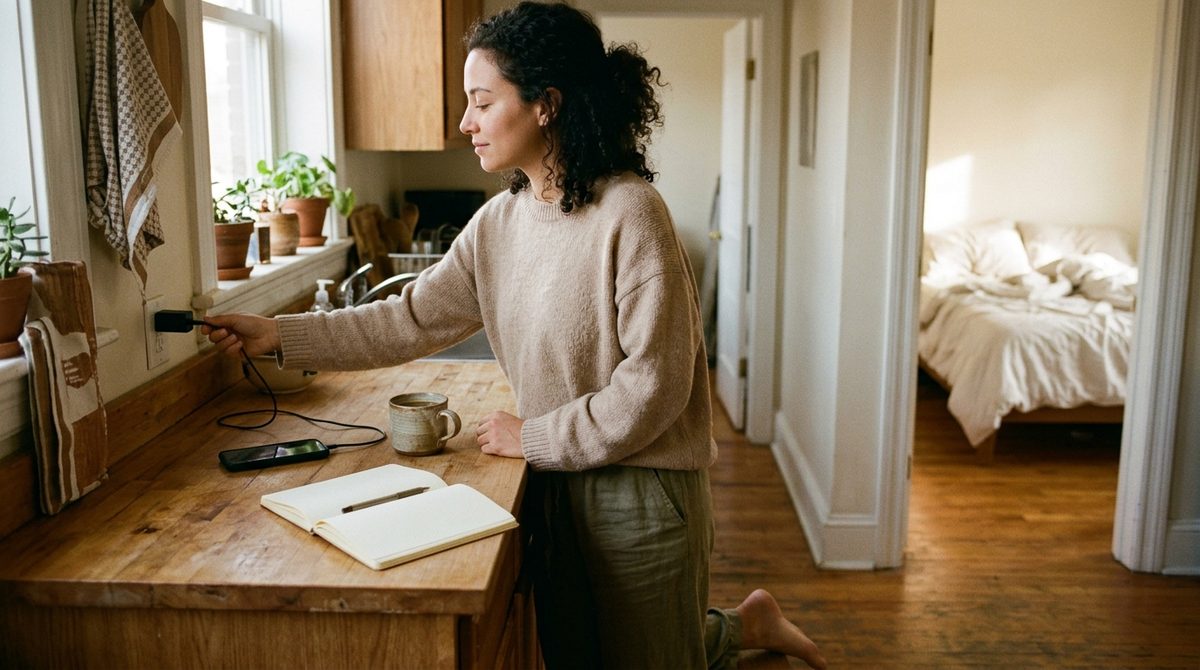
To stop using your phone in the morning, take the decision away from your sleepy brain: charge the phone outside the bedroom, use a separate alarm clock, and schedule your most tempting apps to stay blocked until a set time, such as an hour after you wake. Then give that first hour something specific to fill it, so you're not just resisting the phone.
The morning check is one of the hardest phone habits to break because it happens before you're fully awake. Your alarm goes off, your hand is already on the phone, and the screen is unlocked before you've decided anything. Five minutes of messages becomes thirty minutes of feeds, and you start the day reacting to everyone else's priorities.
This guide covers why the habit is so automatic, a setup that removes it, a worked morning plan, and what to do when you need your phone for work or family first thing.
Why Checking Your Phone First Thing Is So Hard to Stop
Three things make the morning check different from other phone habits:
- The phone is the alarm. You have to touch it to turn the alarm off, and once it's in your hand, opening an app is a single swipe.
- Your self-control is lowest. In the first minutes after waking, you're running on habit. The plan you made last night isn't in charge yet.
- Overnight notifications pile up. Messages, news, likes and emails all wait for you on the lock screen, each one a small hook.
Telling yourself "I won't check my phone tomorrow" asks the groggiest version of you to make the hardest decision of the day. It works for a day or two, then quietly stops.
How to Stop Using Your Phone in the Morning: The Setup
1. Move the phone out of the bedroom
Charge it in the kitchen, the hallway or across the room at the very least. This single change does more than any app, because the first decision now requires getting out of bed. It also helps the night before; see our guide to stopping phone use before bed.
2. Use a separate alarm
A cheap alarm clock or a smart speaker removes the reason to touch the phone at all. If you keep the phone as your alarm, put it far enough away that you have to stand up to switch it off.
3. Block the tempting apps until a set time
Pick the apps you open on autopilot in the morning — usually social media, news and email — and block them on a schedule that lifts after your morning routine. In NoSocial, you choose the apps with Apple's Screen Time picker and set a recurring schedule by time and weekday, for example 6:00 to 8:00 on weekdays. The block starts automatically, so there's nothing to remember while you're half-awake, and iOS enforces it.
4. Silence overnight notifications
Set a Sleep Focus that keeps running until after your routine, allowing only the people who might genuinely need you. A quiet lock screen removes the first hook.
5. Plan the first hour
Write down three or four things you'll do instead: water, shower, breakfast, a walk, ten minutes of reading, journaling, a stretch. Blocking the phone without a replacement leaves a gap your habits will fill with something else.
A Worked Example: A 7:00 Wake-Up
Daniel wakes at 7:00 and starts work at 9:00. His old routine: alarm, Reddit and Instagram in bed until 7:40, rushed shower, coffee while reading email, and by the time work starts he already feels behind.
His new setup:
- Phone charges in the kitchen. A basic alarm clock sits by the bed.
- A NoSocial schedule blocks Reddit, Instagram, YouTube and his news app from 6:00 to 8:30, Monday to Friday. Weekends are left open on purpose.
- Email is not blocked, but it's moved off the Home Screen. He agrees with himself not to open it until he's at his desk.
- His first hour: water, a 15-minute walk, shower, breakfast with a paper book.
- At 8:30, the block lifts by itself. By then he's dressed, fed and close to starting work, and the urge to scroll is noticeably weaker.
On mornings when he does reach for the phone, the shield is in the way. Most of the time, that's all it takes for him to put it down and get the coffee.
Each completed session counts toward his streak and total focused time, so after a couple of weeks he has a visible record of calm mornings. NoSocial is deliberately gentle about this: if a block is ended early, that session simply doesn't count. There's no lecture.
When You Need Your Phone in the Morning
Not everyone can go phone-free at 7 a.m. Parents, shift workers and people on call often need to be reachable. A few adjustments keep the benefits without the risk:

- Block only what isn't essential. App blockers let you pick specific apps, so calls, Messages, maps and your work app stay available while social and video apps are shielded.
- Allow key people in your Sleep Focus so their calls and messages still come through.
- Shorten the block instead of dropping it. Even 30 minutes protected after waking changes how the morning starts.
- Use Quick Block on irregular days. If your wake-up time changes, a one-tap NoSocial block for 30, 60 or 90 minutes covers the first part of the day without a fixed schedule.
What Changes When You Stop
People who drop the morning scroll usually describe a few things: the start of the day feels less rushed, their attention belongs to them a little longer, and the first hour has room for something they chose. You don't need a perfect routine to get that. You need the phone to be slightly harder to reach than the thing you'd rather do.
If the morning habit is part of a bigger pattern of reflexive checking, our guide to the signs of phone addiction covers the wider habit, and NoSocial can extend the same scheduled blocking to work hours and evenings.
FAQ
Why shouldn't you check your phone first thing in the morning?
Checking your phone right after waking tends to fill the first part of the day with other people's messages, news and feeds, which can leave you reactive and short on time. It also turns a few minutes of messages into longer scrolling before you've done anything you planned.
How long should I wait before using my phone in the morning?
There's no fixed rule, but 30 to 60 minutes is a practical target for most people: long enough to wake up, eat and start your day on your own terms. If that's hard, start with 15 minutes and extend the block every week or two.
Can I block apps on my iPhone until a certain time in the morning?
Yes. Screen Time Downtime can block most apps until a set time, though you can ask for more time unless someone else holds the passcode. An app blocker like NoSocial lets you schedule a block for chosen apps only, by time and weekday, that starts automatically.
What should I do instead of checking my phone in the morning?
Choose a few simple things and do them in the same order each day: drink water, get some daylight or a short walk, shower, have breakfast, read a few pages or write a short plan for the day. A planned first hour makes skipping the phone much easier.
Block distracting apps and take back your focus.
NoSocial — NoSocial blocks the apps that hijack your attention, on your own schedule — so your time goes where you actually want it.
Download NoSocialfree on the App StoreKeep reading

How to Block Apps at Certain Times on iPhone
How to block apps at certain times on iPhone with Downtime or a scheduled app blocker, plus three ready-made weekly schedules for work, study and family.
How to Block Instagram on iPhone (App and Safari)
How to block Instagram on iPhone with Screen Time or a scheduled app blocker, plus how to block instagram.com in Safari so the browser isn't a back door.

How to Stop Using Your Phone While Studying
How to stop using your phone while studying: block distracting apps for each session, keep study tools open, and follow a worked exam-week plan.